Overview
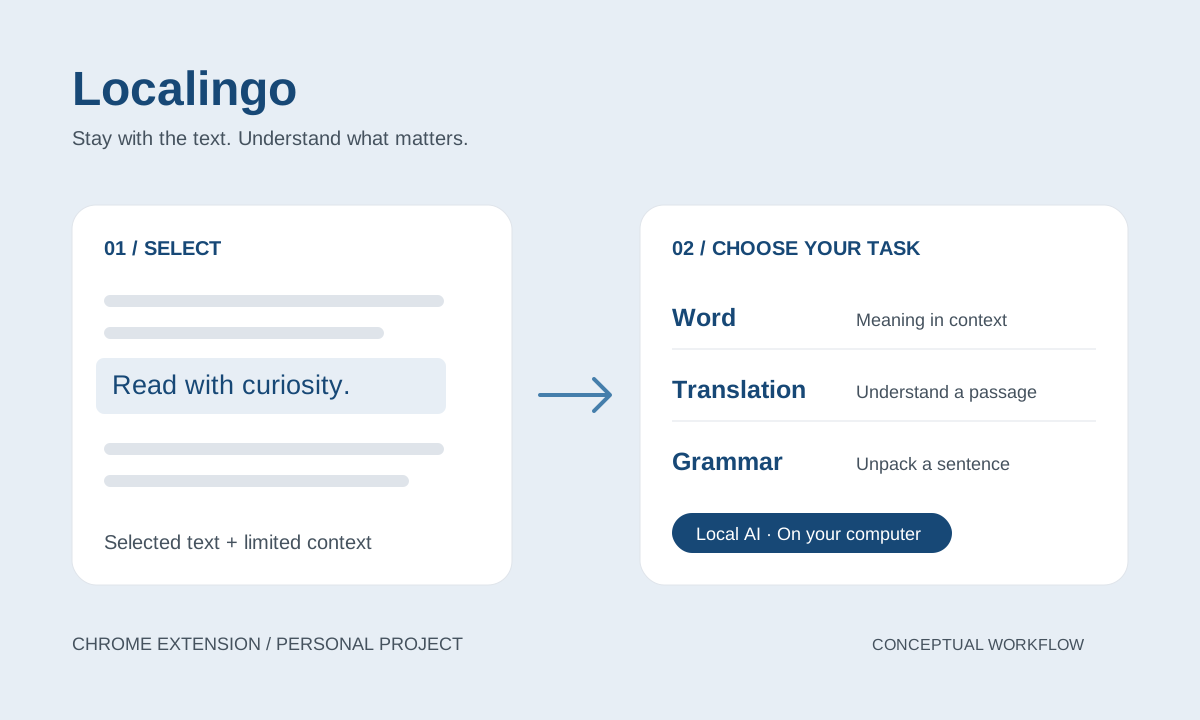
When I read English articles, a word, a sentence and an unfamiliar grammatical structure each call for a different kind of help. I created Localingo, a desktop Chrome extension that brings these three reading tasks into one interface, with explanations generated by a model running on my computer.
The reading problem
The starting point was my own reading routine: moving between an article, a dictionary and a translation tool interrupted my attention. A dictionary offered definitions but left me to decide which meaning fitted the sentence; a generated answer could blur the distinction between reference material and an AI explanation.
I narrowed the first version to helping one reader understand selected English text and return to reading. Whether this reduces interruption or improves comprehension remains a hypothesis to test.
What is this word doing here, what does this sentence mean, and how is it put together?
Interaction decisions
The current entry points are a right-click action on selected text and manual input in the extension. Results open in the toolbar popup, with a fixed card on the page as a fallback when Chrome cannot open the popup. Selecting text alone does not trigger analysis.
| Reading need | Interaction decision | Reason |
|---|---|---|
| Understand a word | Word mode starts in English and organizes one to three common usages. Traditional Chinese support is generated only when requested. | Keep English reading central while making help available when needed. |
| Understand a passage | Translation mode presents a Traditional Chinese translation and key phrases. | Answer the immediate meaning question without requiring a grammar breakdown. |
| Understand sentence structure | Grammar analysis is a separate, deliberate action. | Let the reader choose when to spend time on a deeper explanation. |
Word explanations can use a limited surrounding sentence from the page. Without enough context, the card provides a general explanation instead of presenting a contextual interpretation as certain. Pronunciation uses dictionary audio when available, with system speech as a fallback.
Architecture and reliability
The extension is built with WXT, React and TypeScript. A shared model service connects to either LM Studio or Ollama on localhost. The product separates dictionary data, generated explanations and interface state so that a failed service does not have to erase everything useful.
Define what leaves the page
- Selected text and limited sentence context go to the configured local model.
- The optional Free Dictionary API receives only the lookup term, not surrounding page context.
- Translation and grammar use the local model without calling the dictionary.
- The analysis flow does not upload the full page to a cloud AI service.
Handle imperfect output
- Request structured JSON and validate the parsed result with Zod before rendering it.
- Recover JSON wrapped in extra model text while retaining schema validation.
- Retain available dictionary content when local analysis fails; allow local explanations when the dictionary is unavailable.
- Keep dictionary attribution separate internally and avoid inventing dictionary definitions, IPA or audio.
Running locally introduces its own constraints: the model service must be available, the selected model must exist, and Ollama must allow the extension's origin. These conditions need actionable connection and error messages. Schema validation checks structure; it does not establish that a translation or explanation is correct.
Building with AI
I owned the product scope, interaction decisions and acceptance criteria, and used AI coding agents to help implement them. My contribution was to turn the reading problem into explicit behavior, data boundaries and conditions for accepting a result.
- Set the scope: define Word, Translation and Grammar as distinct tasks, with a desktop Chrome extension as the delivery surface.
- Specify the contract: describe what each mode receives, which fields it returns, when Chinese support runs and what happens on failure.
- Review the implementation: compare the interface and service behavior against those requirements, including provider differences and incomplete model responses.
The repository includes automated tests for selection handling, dictionary integration, model response parsing, analysis contracts and result rendering. These test files document the covered behaviors; they are not evidence of learning gains or a completed usability study.
Current scope and next validation
The current implementation supports the three reading modes, optional dictionary lookup, pronunciation and both local model providers. It is a personal development project loaded into desktop Chrome. Favorites remain unfinished; accounts, cloud sync and mobile support are outside the current scope.
The next validation step is a structured reading trial: record whether the chosen mode fits the task, whether word meanings match their sentence, how long a usable answer takes, and whether the reader can continue without switching tools. Translation and grammar also need content review beyond automated format checks.
This project demonstrates how I take a personal need through requirements, interaction design and AI-assisted development while keeping implementation progress separate from outcomes that still need evidence.